Scheduling & dispatch
The right tech, on time.
Crewsmith checks hours, calendars and drive time, then assigns the best fit. Change anything with a drag.
Automatic dispatch
Assigned before you look.
Turn on dispatch and each new job goes to the technician who fits: free, within hours, and the least extra driving.
- 01A job is booked online, by the receptionist or in the office.
- 02Crewsmith checks each tech’s hours, jobs, time off and calendar.
- 03It adds real drive time between stops.
- 04The best fit gets the job. No fit? It waits in Unassigned.
- Least driving or even workloads
- Never books over a conflict
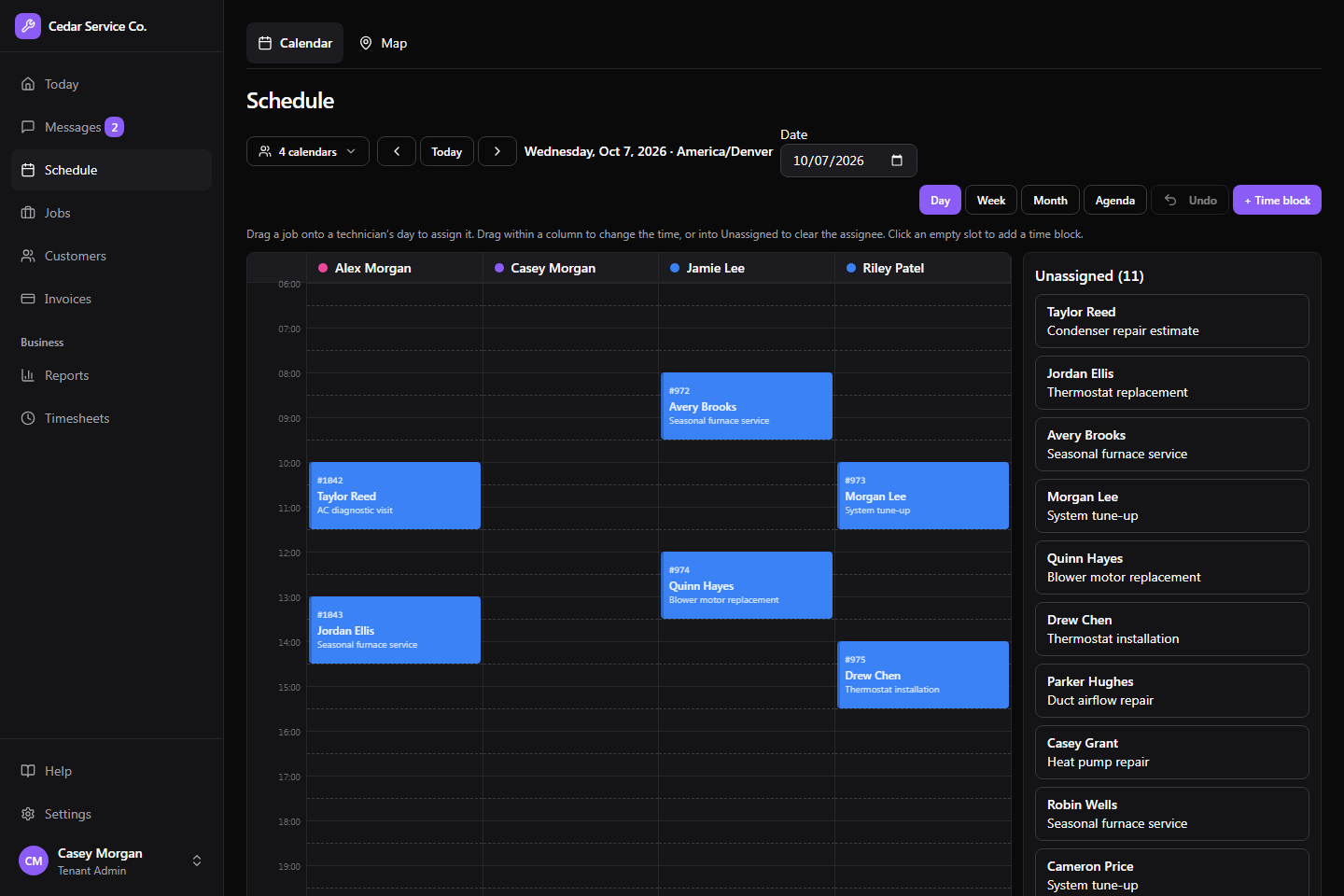
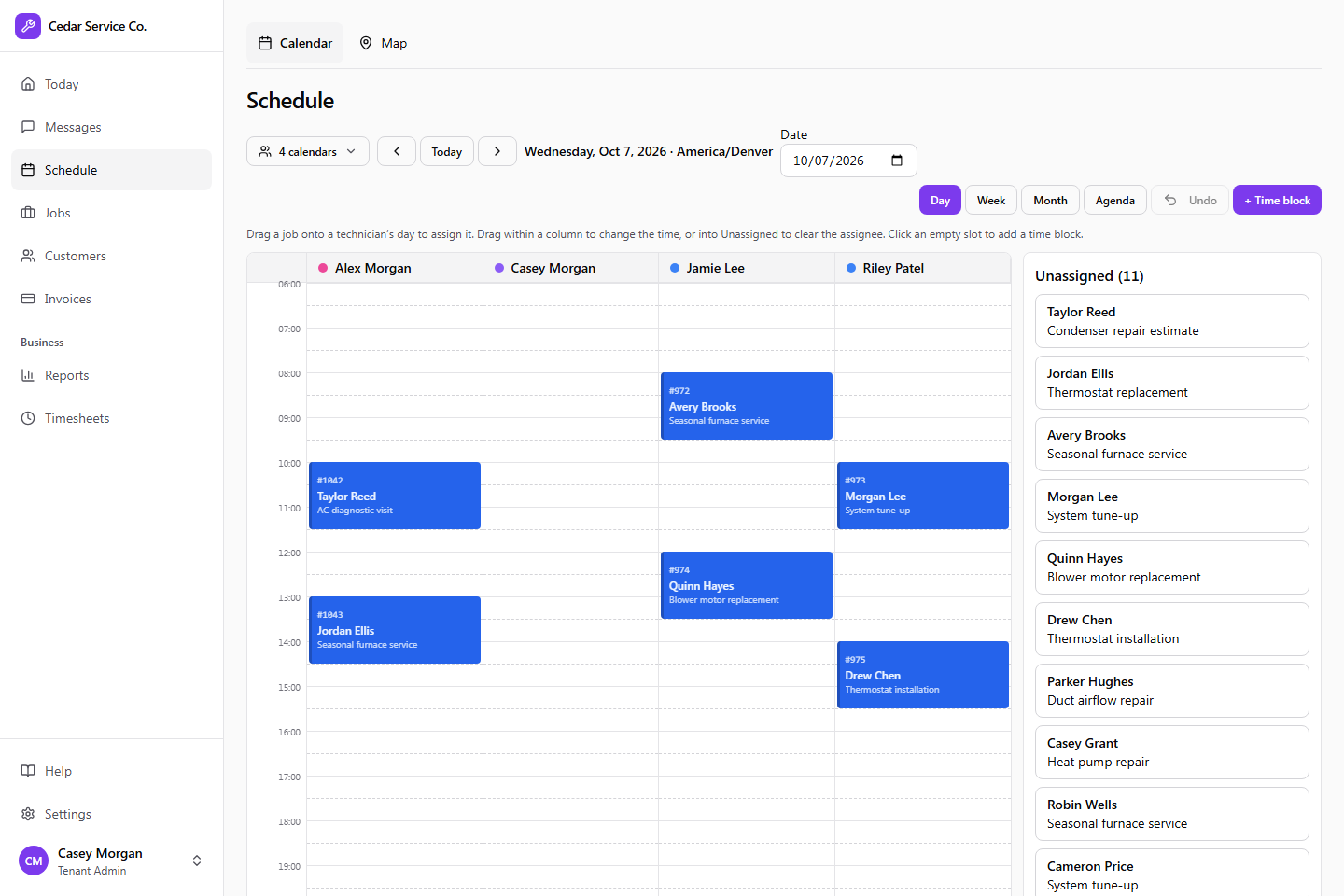
The board
Drag, drop, undo.
Day, week, month and agenda views. In Day view each tech gets a column: drag a job to assign, reassign or reschedule it.
- Conflict warnings before you double-book
- Undo your last changes
- Time off, training and lunch blocks
- Blocks that repeat daily or weekly
Live map
See who’s where.
The map shows each clocked-in technician, their status and their current job. Replay any route from the last 30 days.
Calendar sync
Jobs on their own calendars.
Techs connect Google, Outlook.com or iCloud. Their jobs show up there, and personal events block time in Crewsmith.
- Personal events stay private: busy only
Built for the trades
Get back to the work you’re good at.
Tell us about your business and we’ll get you set up.