Customers and leads
Find or create customers and properties, log leads, add notes, and merge duplicates.
AI agents
An AI agent is a member of your team with its own name, roles, and history. Any assistant that supports MCP can work as it, directly with your customers, jobs, schedule, invoices, and texts. It starts read-only. You decide which actions it may take, set the limits, and choose which changes need a person to approve.
What it can do
More than 150 business tools cover the everyday work in Crewsmith. Every tool uses the same business rules, permissions, and records as the web app, so anything an agent does shows up for your team, under the agent’s name.
Find or create customers and properties, log leads, add notes, and merge duplicates.
Check availability, create and reschedule jobs, add line items, and manage time blocks.
Prepare and issue quotes, review and issue invoices, create payment links, and resend documents.
Run the reports your access allows, export CSVs, and manage scheduled report delivery.
Read call history and transcripts, and keep receptionist knowledge, transfers, and service area current.
Claim inbox work, hand a customer or job to a person with a note, take unscheduled jobs and leads, and message teammates.
Take over text conversations the receptionist or an idle team leaves, reply within your recipient rules, and escalate to a person.
Invite staff, manage roles, update services and prices, and maintain business settings.
You stay in charge
A new AI agent, or a personal connection, can only read the records its roles allow. Nothing changes until an administrator says so.
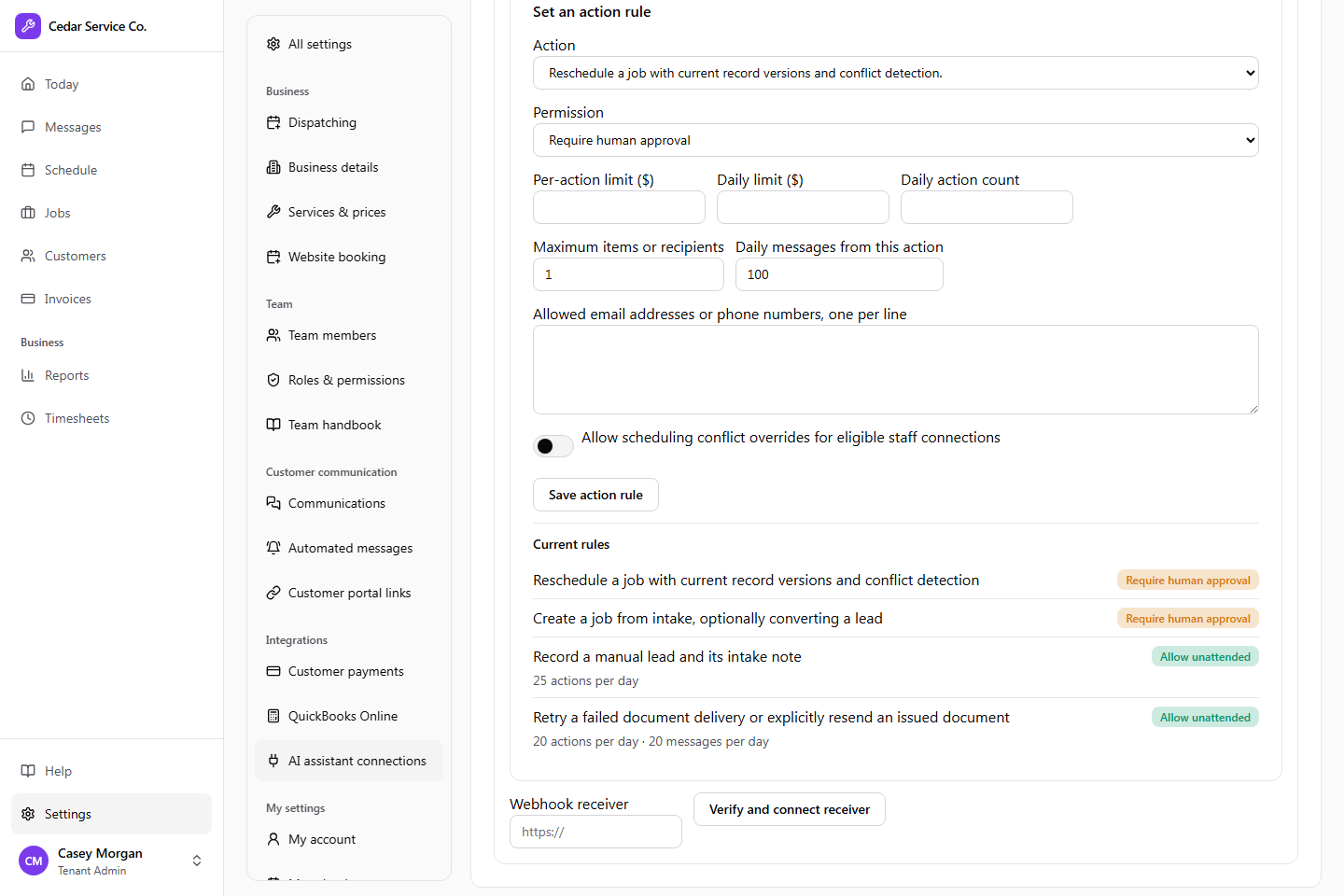
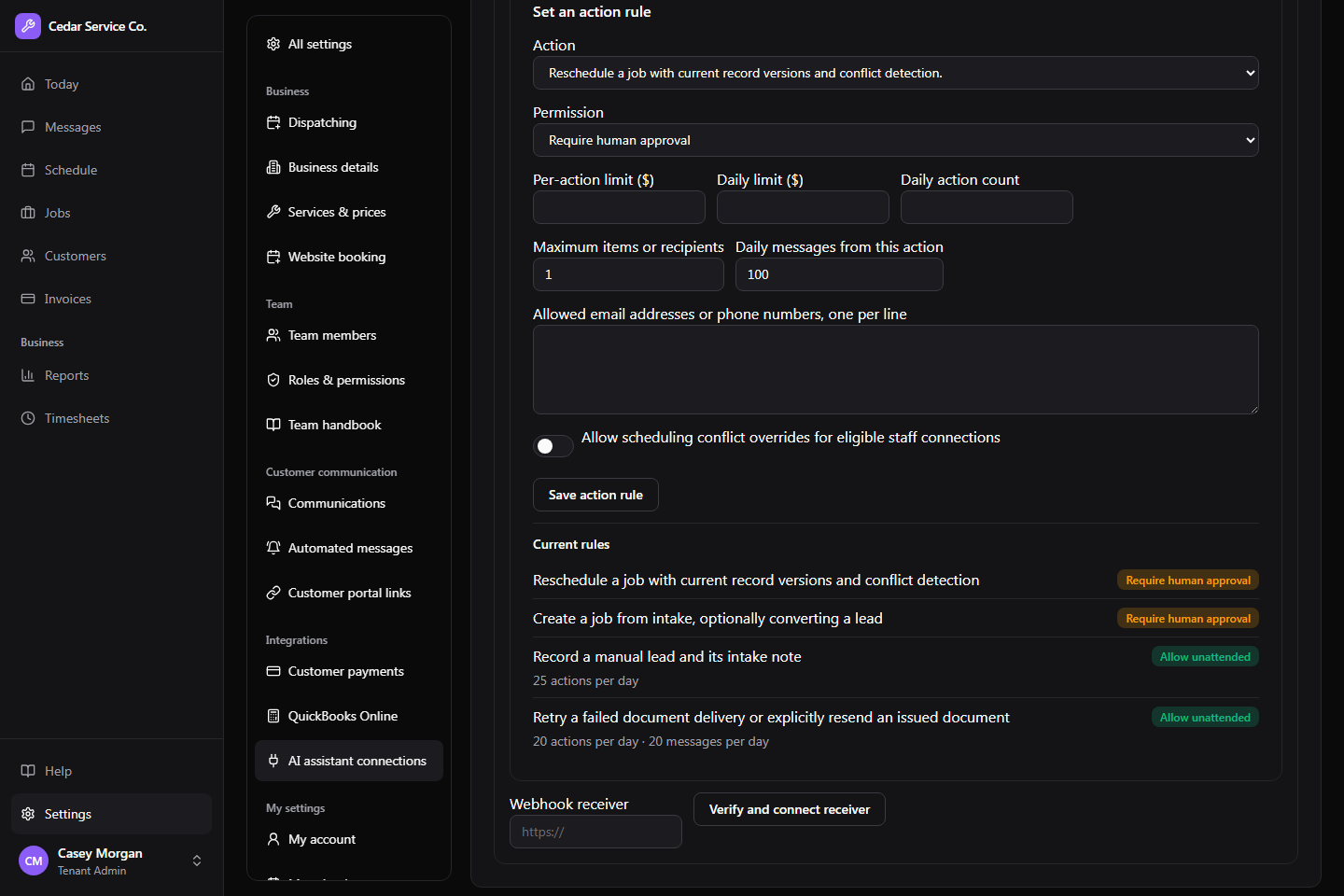
Turn on specific actions with limits on money, daily volume, batch size, recipients, and scheduling.
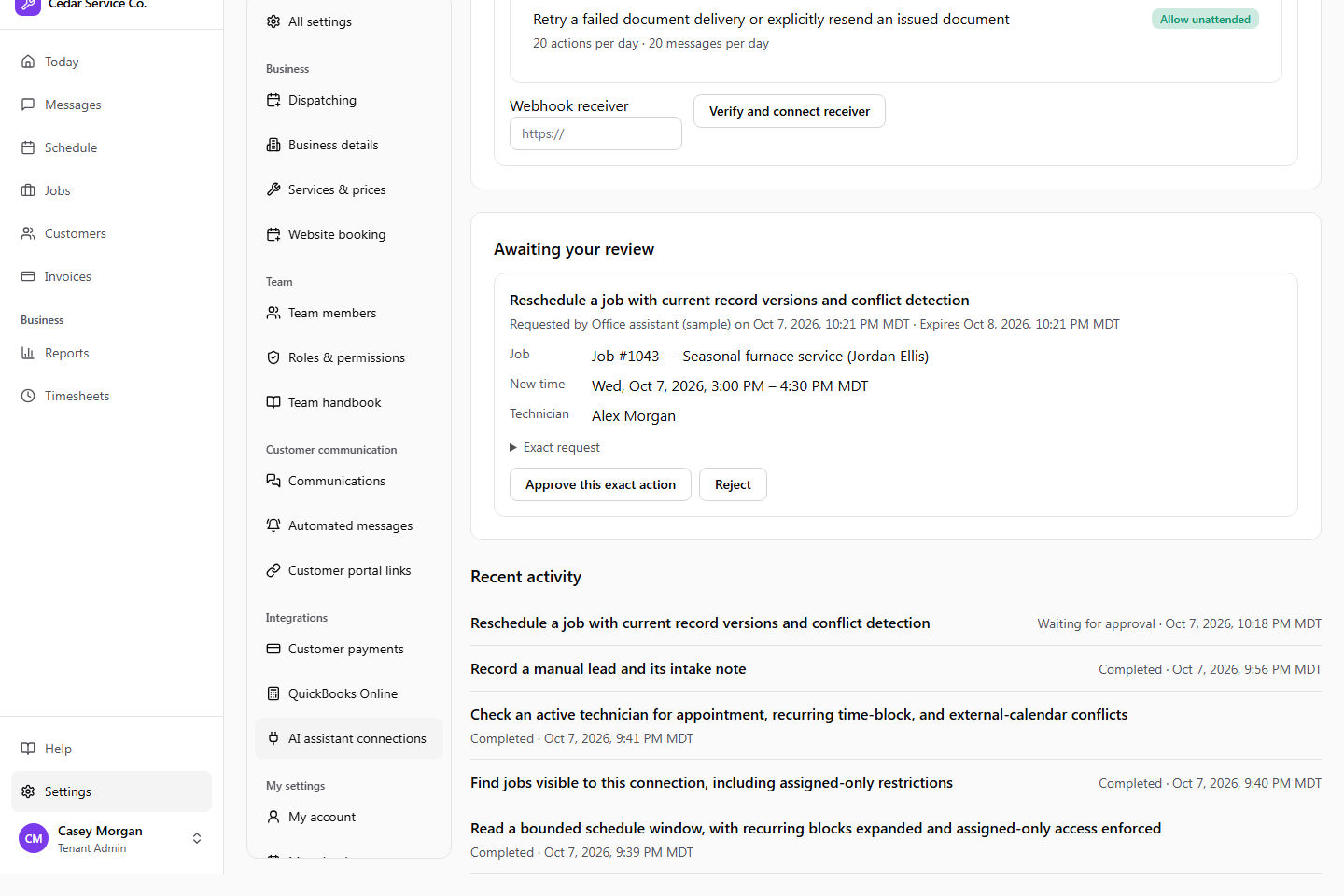
Send chosen actions to your team for review in the inbox. Crewsmith shows the exact proposal, and only that change can run.
An AI agent only has the roles you assign, never full admin access, and a personal connection never has more access than the person who connected it. Neither can change its own rules or approve its own requests.
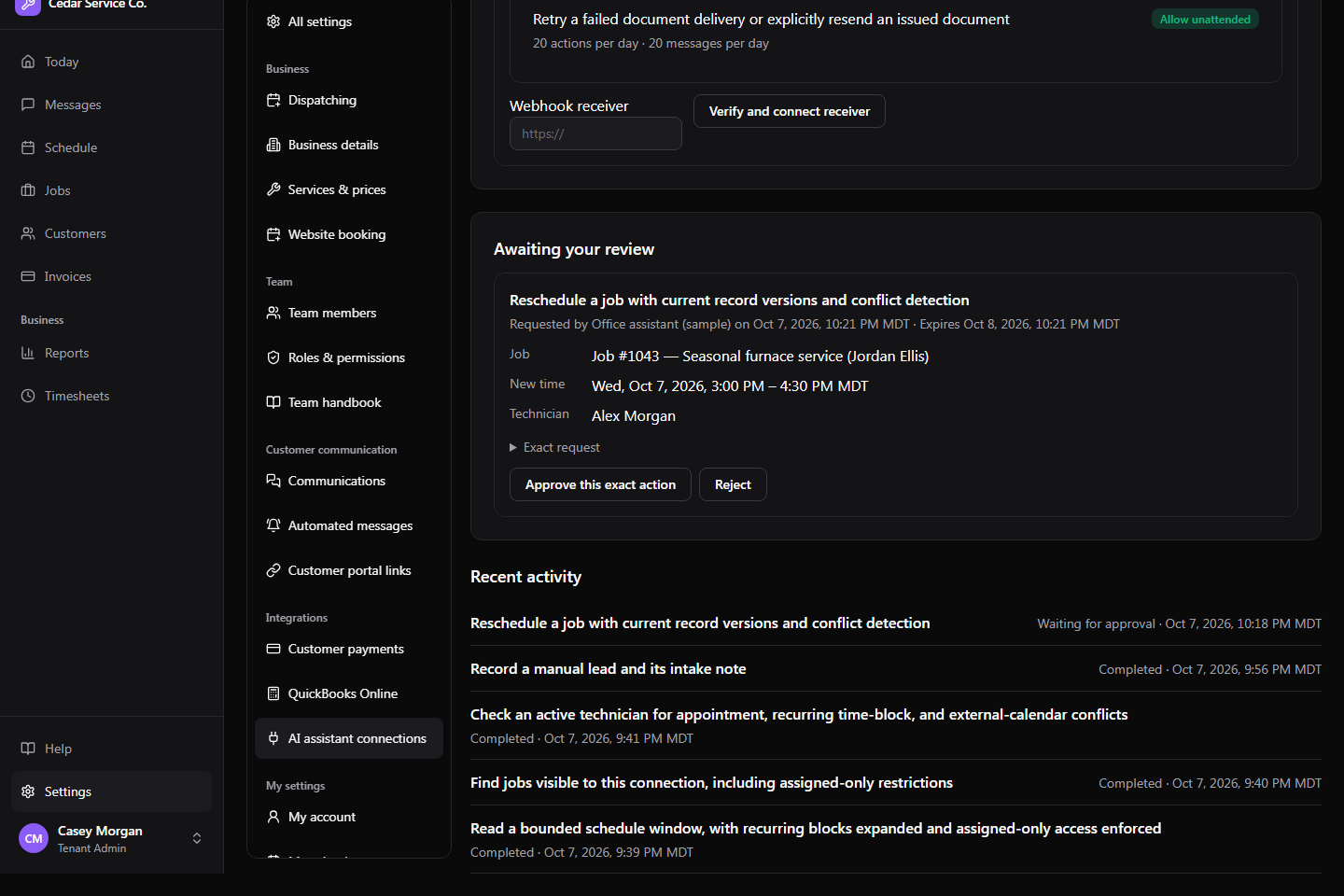
When an action needs approval, it lands in your team’s inbox with the exact proposal. Approving it allows that change and nothing else. If the record, the rules, or the agent’s access changes first, the approval no longer applies.
Each AI agent’s page lists what it has done and how each action turned out, and the audit log shows every change made in its name.
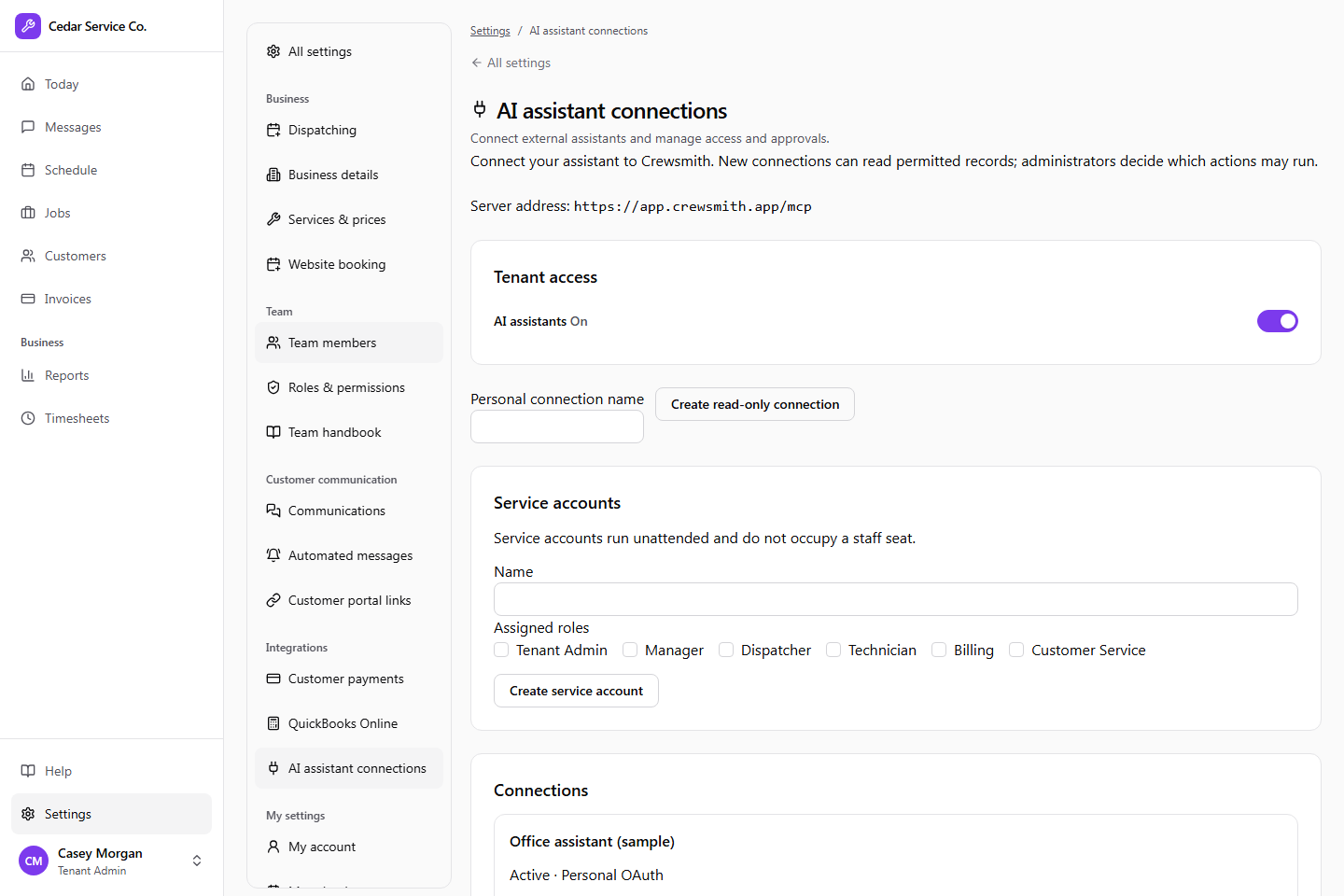
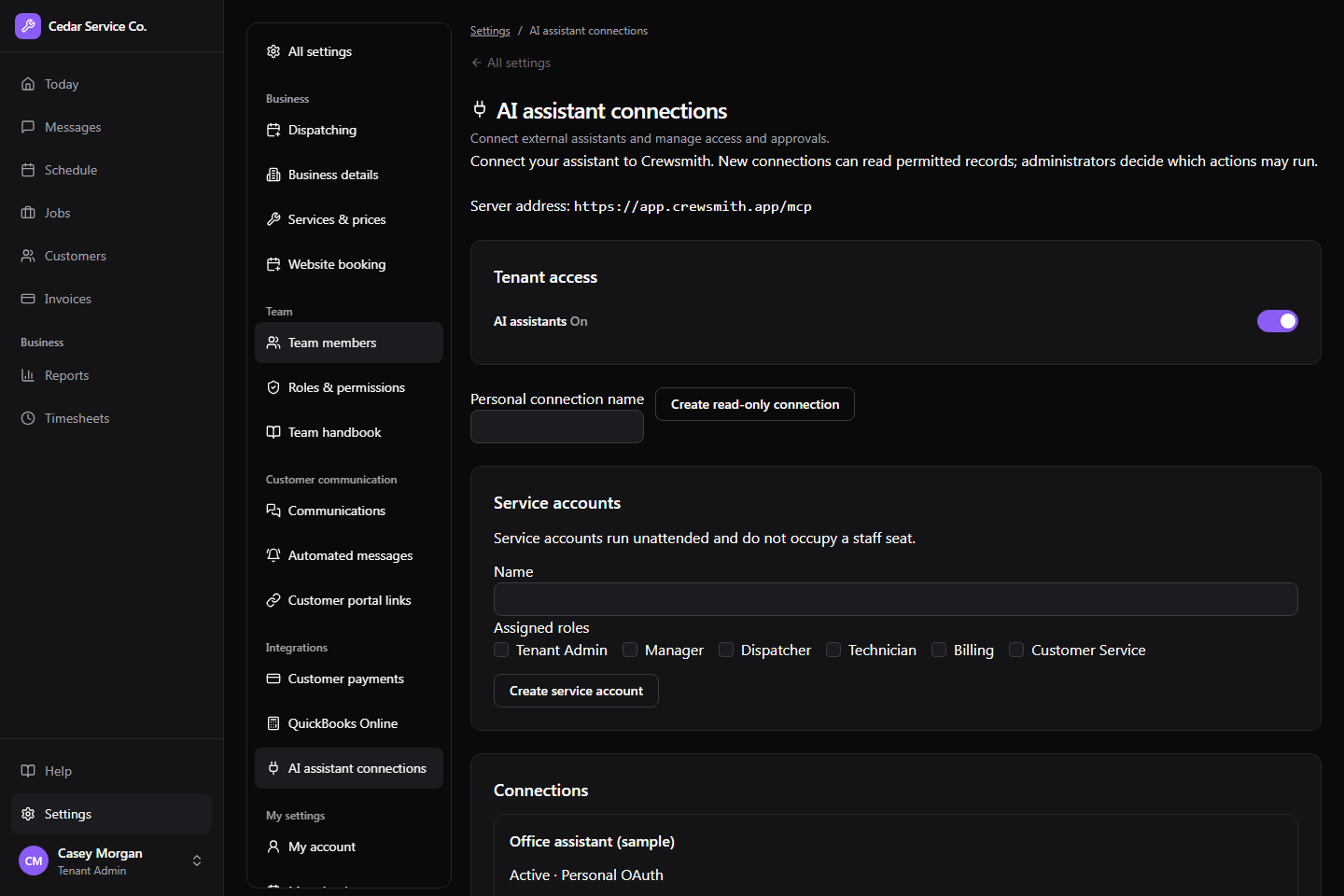
For assistants that run on their own. Add an AI agent with the roles it needs and a supervisor. It doesn’t take a staff seat, can own leads and unscheduled jobs, and hands anything with a visit time to a person.
A team member signs in from their own assistant. The connection works on their behalf and stays within their permissions.
Agents follow an event feed or receive signed webhooks when jobs, invoices, texts, and inbox work change, and when deadlines come close.
Each example lists the Crewsmith tools involved and where your team’s approval fits in.
An HVAC customer emails about an air conditioner that isn’t cooling. Your assistant finds or creates the customer, logs the lead, and comes back with appointment options.
Customer intake · HVAC
Explore turn an inquiry into the next job.A plumbing appointment is cancelled. Your assistant checks unscheduled work and technician availability, then proposes a job to fill the gap.
Scheduling and dispatch · Plumbing
Explore put an opening back to work.A landscaping owner wants to chase outstanding invoices without building a list from emails and spreadsheets.
Billing follow-up · Landscaping
Explore know which invoices need a nudge.An electrical contractor wants a morning briefing on today’s visits, open requests, and money still outstanding.
Business reporting · Electrical
Explore start the day with the useful details.Any assistant that supports remote MCP servers can connect to Crewsmith. Here’s how a few popular assistants reach it:
Add Crewsmith as a custom remote MCP server.
Connect through its supported tools and plugins.
Works in the Crewsmith web app through its own browser.
These assistants are examples, not certified Crewsmith integrations. AI assistant access must be enabled for your business before connecting.
Built around the way service businesses work
Crewsmith is available by invitation. Tell us about your business and we’ll follow up about access and the right plan.